
Last year, I motorized the rolling shutters on the southern façade of my apartment. My idea was to manage them via Home Assistant. I had a couple of automations in mind:
- In the evening, roll down the shutters of my bedroom
- In the morning:
- If it’s too hot outside, roll down all shutters
- If it’s too cold outside, roll down all shutters
- In other cases, roll up all shutters but my bedroom’s
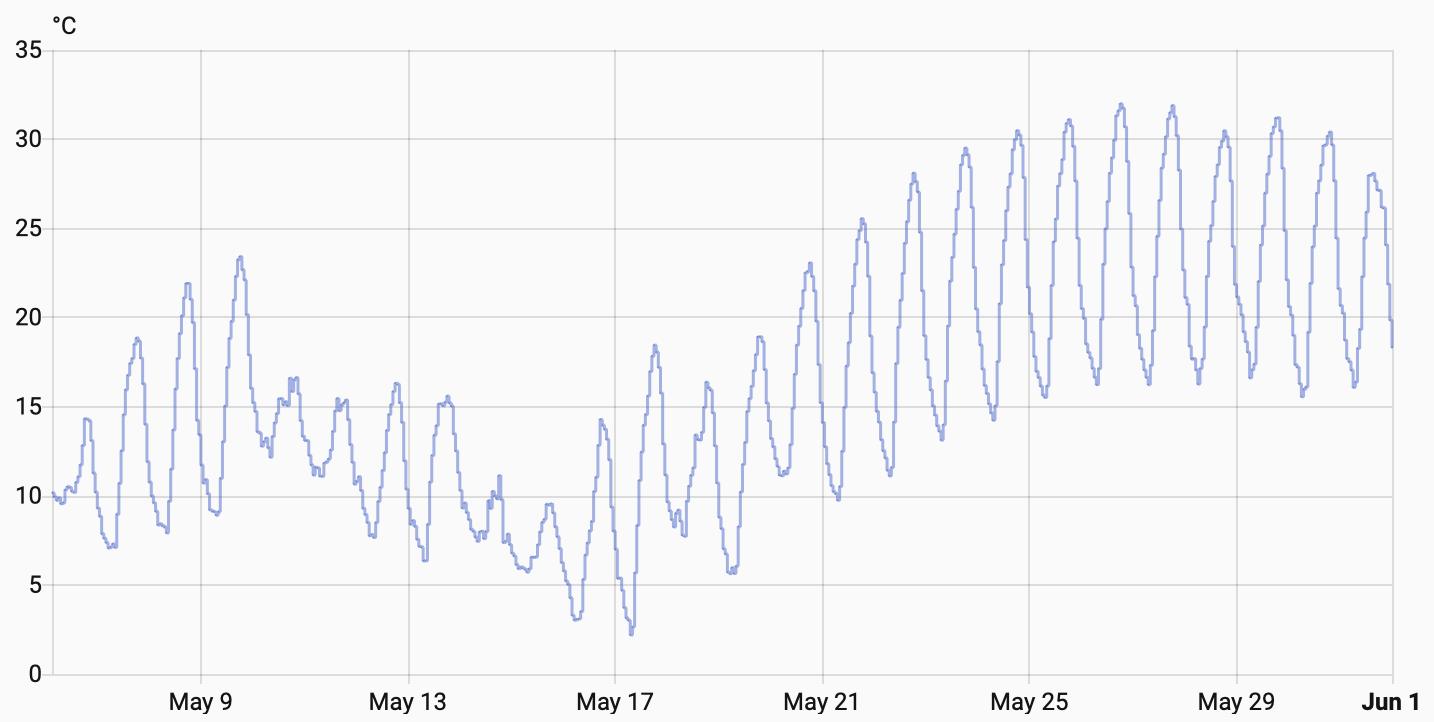
Living in France, I added the official Météo France integration. The integration provides different measurements, including air temperature for my city. Here’s the historical data. As you can see, it was pretty hot.
I could have used the temperature directly in the automation, but I wanted to define boolean sensors for "too hot" and "too cold" so I could reuse them across different automations. I defined two custom sensors:
template:
  - binary_sensor:
    - name: "Hot outside"
      unique_id: hot_outside_condition
      device_class: heat
      state: >
        {{ states('sensor.mycity_temperature') | float(0) >= 20 }}
    - name: "Cold outside"
      unique_id: cold_outside_condition
      device_class: cold
      state: >
        {{ states('sensor.mycity_temperature') | float(0) < 10 }}
At this point, you can use the time for the trigger, and a sensor defined for the condition:
  alias: Close all shutters in the morning when it's hot
  description: Close all shutters if it's already hot in the morning
  triggers:
    - trigger: time
      at: 06:00:00                               (1)
  conditions:
    - condition: state
      entity_id: binary_sensor.hot_outside
      state:
        - 'on'
  actions:
    - action: cover.close_cover
      metadata: {}
      data: {}
      target:
        entity_id:
          - cover.volet_salon_gauc_low_speed     (2)
          - cover.middle_shutter_low_speed       (2)
          - cover.s_so_rs100_io_low_speed_3      (2)
          - cover.s_so_rs100_io_low_speed_2      (2)
- cover.s_so_rs100_io_low_speed (2)| 1 | Time is relative to the timezone of the Home Assistant instance. |
| 2 | Unrelated, but I noticed that I need to work on my naming scheme |
This year, I woke up earlier than last year. Because I was awake when the automation was supposed to run, I noticed it didn’t. After fiddling a bit around, I noticed that the problem was related to the time. The UI showed a weird timezone: Paris/+1. If you’re familiar with European time zones, you know about summer time. We move one hour forward during summer, then back again in autumn. However, it showed Paris/+1 instead of Paris/+2, though I was in summer.
I didn’t know if it was a bug or not, but it felt like it was. The trigger time is relative to the instance’s timezone, as callout <1> pointed out. Stuck one hour behind, my automation fired exactly on schedule. It was just an hour late compared to the actual time outside. In any case, you can override the timezone in the configuration.
I did, and immediately lost the connection.
It turns out that once you override a single line in the homeassistant section, you lose all parameters set via the UI.
It comprises the temperature unit, the distance metric, but also the URL you can access it.
It falls back to the IP.
The fix is straightforward: set every line again.
homeassistant:
  name: Home
  time_zone: Europe/Paris
  latitude: <redacted>
  longitude: <redacted>
  elevation: <redacted>
  radius: 30
  unit_system: metric
  currency: EUR
  country: FR
  internal_url: http://home.local:8123
Note that once you use YAML-based configuration, the whole UI block becomes invalid.
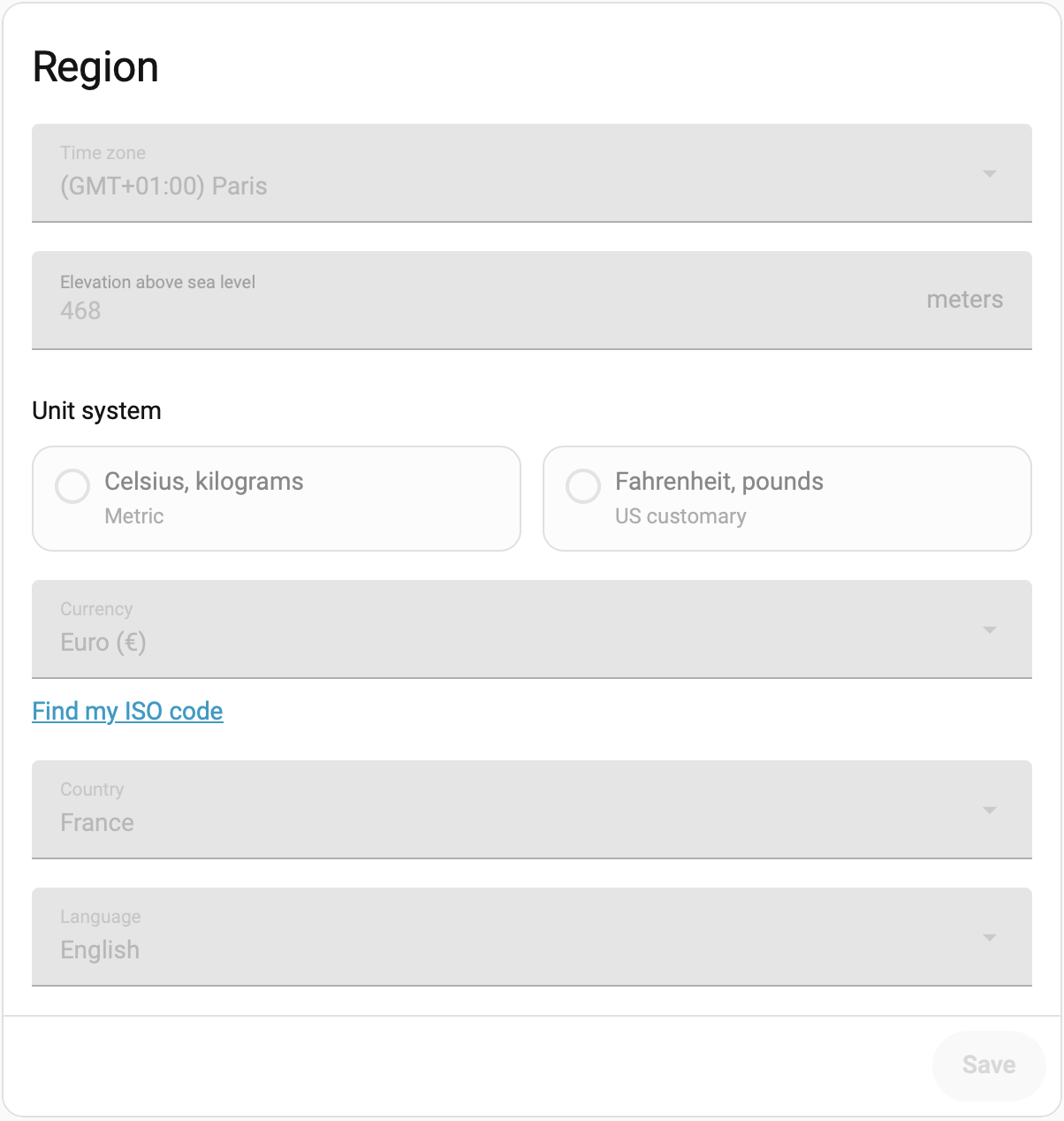
After the changes, the automation worked as expected. Still, I shouldn’t have to set the timezone manually for summer time to apply correctly. And I definitely shouldn’t lose all UI-related settings because of it. Both feel like bugs on Home Assistant’s side, and a quick search confirmed they are:
- Time-based automations can get stuck on the pre-Daylight Saving Time offset until Home Assistant restarts: issue on core#153175, closed as not planned
- Setting a single key under
homeassistantdisables the whole General settings page in the UI, not just the key set: issue on frontend#14628, also closed as not planned
Good luck on your Home Assistant path. I hope the above can be helpful.